A simple guide to focus mode
How to use full screen in Stilopad
Hide most editor controls to make more room for your digital notebook page.
Give your page more space. You can bring the tools back with one tap.
Use focus mode on Android
Hide the tools, then bring them back
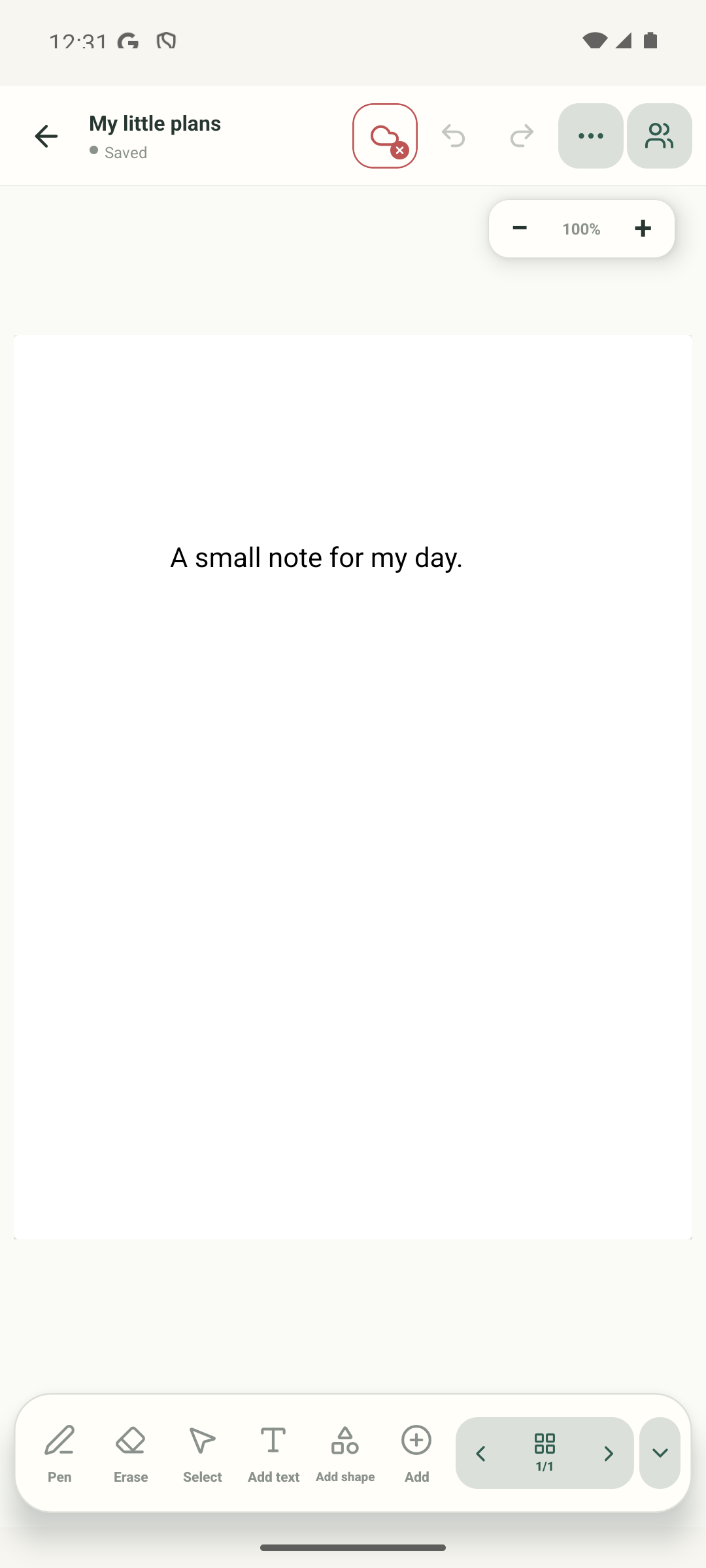
Step 1 of 4 — Find Hide controls
Android focus mode and Web Lite browser full screen are not identical. The screenshots show the real Android app; Web Lite uses its own toolbar labels.
Use focus mode on Android
Use focus mode on Android
Find Hide controls
Open a notebook. In the bottom toolbar, tap the down-chevron labelled “Hide controls”.
Focus on the page
The page stays open and grows into the free space. A small pill still lets you change pages.
Bring the buttons back
Tap the up-chevron labelled “Show controls”. The full toolbar returns around the same page.
Use Web Lite focus mode
This UI illustration follows the current Web Lite editor source; it is not a captured browser screen. Choose Hide editor controls. The page stays visible with a small navigation bar; tap Show editor controls to return.
On Android, focus mode hides the top and toolbars but leaves a small page-navigation pill at the bottom. Tap its up-chevron to restore the controls.
On Web Lite
On Web Lite
Open a notebook and choose “Hide editor controls” from the toolbar.
The Web editor enters browser full screen and keeps a small page-navigation bar.
Choose “Show editor controls” in that bar to restore the app. The browser may also provide its own full-screen exit gesture or key.
Focus mode keeps page navigation
It hides many buttons, not your page. The small page bar stays so you can move through the notebook or open the page overview. On Web Lite, focus mode also asks the browser to use its full-screen view.
Your page stays yours
Focus mode only changes what is on screen. It does not remove tools, change your page or delete your work.
If you cannot find the toolbar
- Look for the small page bar at the bottom of the page.
- Tap its up-chevron or “Show controls” button. On Web Lite, the browser may also let you exit its full-screen view.
- If the page is zoomed in, zoom back out separately. Focus mode and page zoom are different controls.